Set scenario playlist
Sometimes you want to select some specific Monte-Carlo (MC) years for the simulation from all those prepared. For example to:
- Refine a previous simulation by excluding a small number of "raw" MC years whose detailed analysis may have shown that they were not physically realistic.k
- Replay only a small number of years of specific interest (for instance, years where minimum or maximum values of a given variable were encountered in a previous simulation).
- Run a set of representative years
You can access the scenario selector by going to Configuration > General tab. In the section Monte-Carlo Scenarios select Custom in the Selection mode drop down menu. Then click on Settings to open the following pop-up.
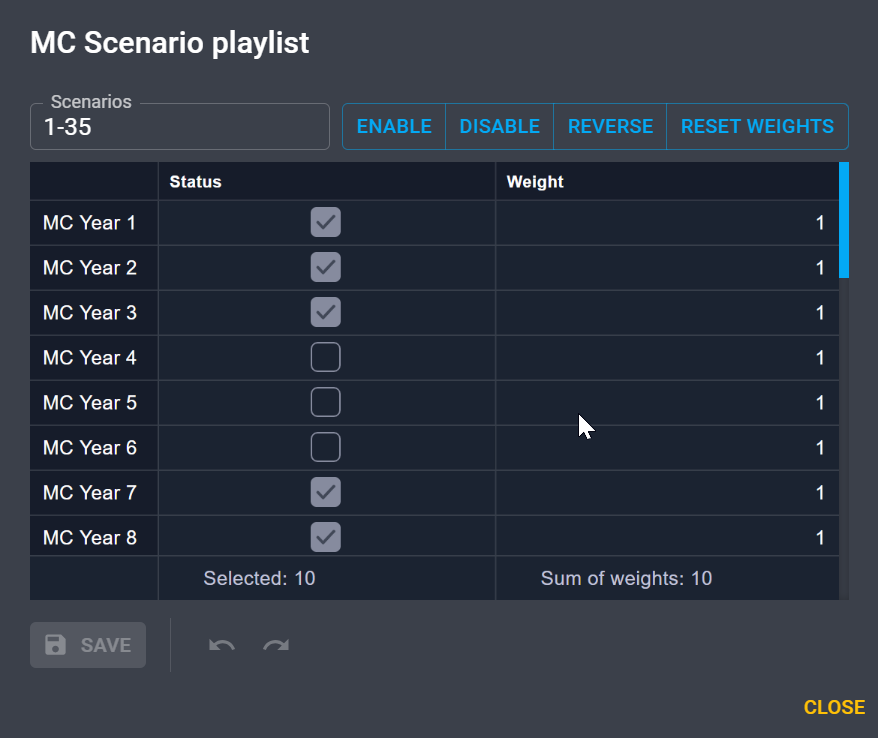
Here you can skip some years or make them active by changing their status and apply a weight for each year.